 Beeking
A brand remembered by sound
Check whether customers find the right products.
Beeking turns typos and everyday phrases into the right products in your Shoper store.
Install on Shoper · 14 days freeCancel in the Shoper panel · we help with setup · then PLN 129 net / month
Heard by earGarmin fēnix
 Garmin Fenix 8 AMOLED47 mm · Sapphire Titanium
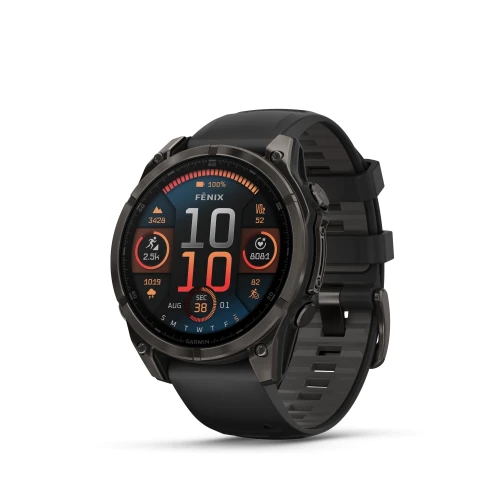 Garmin Fenix 8 AMOLED47 mm · Sapphire Carbon Gray
 Garmin Fenix 8 AMOLED47 mm · Slate Gray
Stores that chose Beeking



















csk-med.pl customer feedback, translated from Polish — context and limitations in the case study Case study
DIFFERENT STORES. SHARED CHALLENGES.
csk-med.pl
Beeking recognizes the brand despite the misspelling, before the customer sees an empty list.
Customer types
marwis
Beeking recognizes
Results
 Marvisbrand
 MARVIS EARL GREY TEAtoothpaste 75 ml
 MARVIS SINUOUS LILYtoothpaste 75 ml
Illustrative queries, products from store catalogs.
The csk-med case study shows more than popular products. Search queries help identify the brands and needs customers bring to a store.
How to analyse searchesCheck whether customers find the right products.
Review product attributes and descriptions.
Evaluate alternatives and demand for new products.
Qualitative case-study examples, without simulated statistics.
The app is available in the Shoper App Store. Module placement depends on your theme. Contact us before launch if you have a custom theme.
Product synchronization starts after installation. The time depends on catalog size; installing the app does not mean indexing is complete.
The Shoper plan costs PLN 129 excluding VAT per month after the trial. Manage the app and billing terms in Shoper. WooCommerce has separate pricing.
Manage your subscription in Shoper under the app’s terms. Restore the standard search before removing the module so customers can still search.
Search runs on Beeking servers. End-to-end response time also depends on the network, device and store theme. Check the mobile experience during your trial.
Yes. Contact us about installation, synchronization or adapting the module to your theme. We can review specific queries from your catalog.